Novella 1.7 - Drafts, Revisions, and Trash
Introducing Novella 1.7.0! This update adds a number of powerful Novella Premium features, specifically manuscript drafts and chapter revisions. Additional free features included as well.
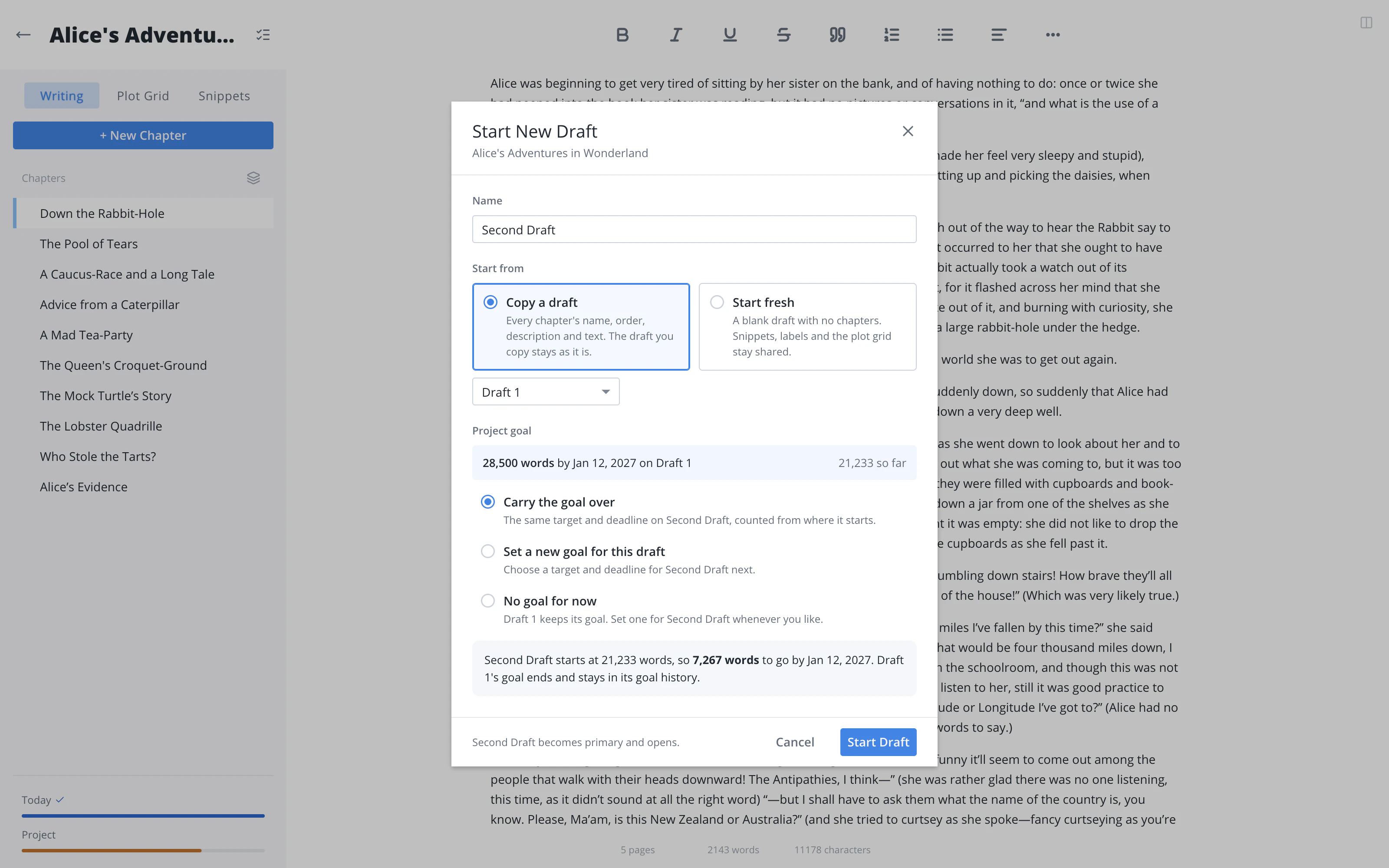
I’m incredibly excited about this release! When I first designed the data model for manuscripts back in 2019 I knew I wanted drafts to be a key feature. I wanted to wait, however, until I had the base functionality really solid. I’m thrilled that I can introduce it finally!
Manuscript Drafts
Novella Premium now supports creating multiple drafts of your manuscripts! You can easily create a new draft by using the Command Palette (⌘K or CtrlK on Windows) or by using the controls in the app.
When creating a new draft you can choose between copying over your existing writing or starting from scratch, whatever works best for your needs. In addition to that, if you have a project goal in progress, you can select whether you want to bring that goal with you, create a new one, or just end your goal. Hopefully the variety of options makes it easy for you to accomplish what you need!
Manuscript drafts are all part of your project, and they’re all easily accessible at any time. You can promote any draft to be your primary draft at any time, and that will be the draft that shows in your analytics and gets used when you want to export your work.
Only your manuscript changes as you switch drafts. Your snippets, tasks, and plot grids are all at the project level so you can refer to them at any time on any draft.
Chapter Revisions
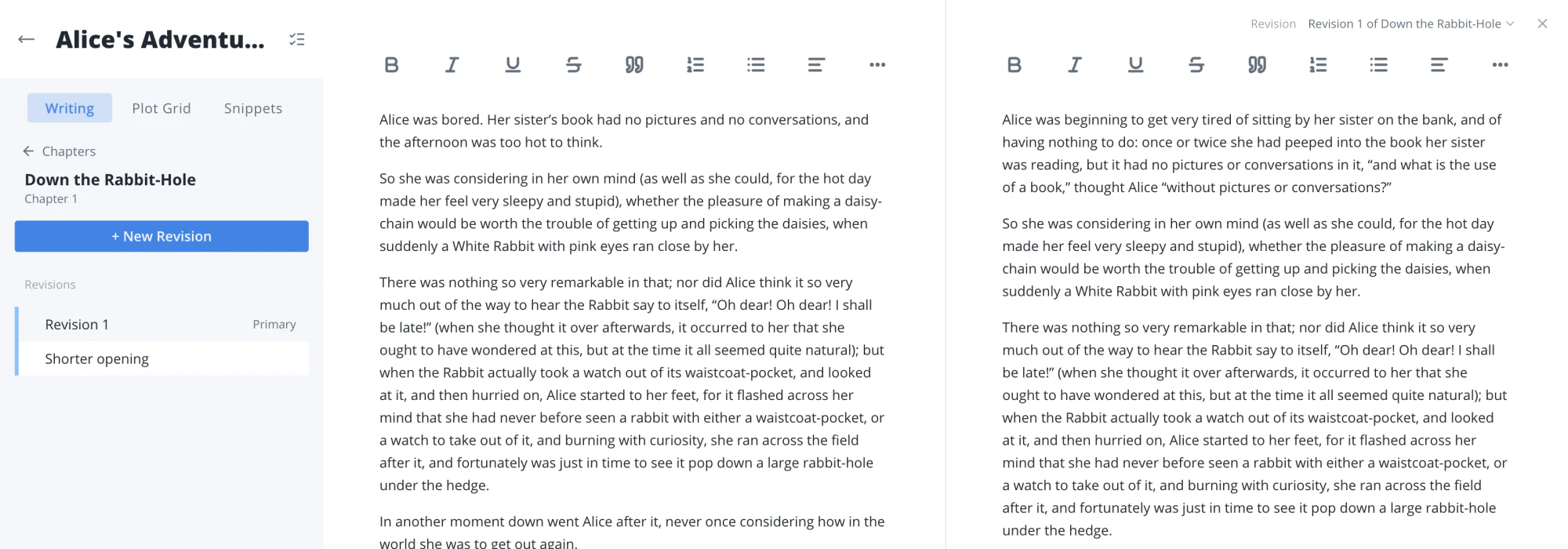
Are you struggling with a specific chapter you just can’t get right? Chapter revisions are another Novella Premium feature that are designed for this. No need to do a whole new manuscript draft to simply go through a few iterations of a single chapter. Instead, use chapter revisions.
For any chapter at any time you can right-click on it and add a new revision. You can choose to start with the existing text or just start from scratch, just like with manuscript drafts. Make as many revisions as you need, and when you’re feeling happy with one you can promote it to the primary revision. Back in your manuscript, each chapter uses whichever revision is the primary revision. When working on them, you can compare revisions side-by-side and swap the primary revision as much as you want.
Trash
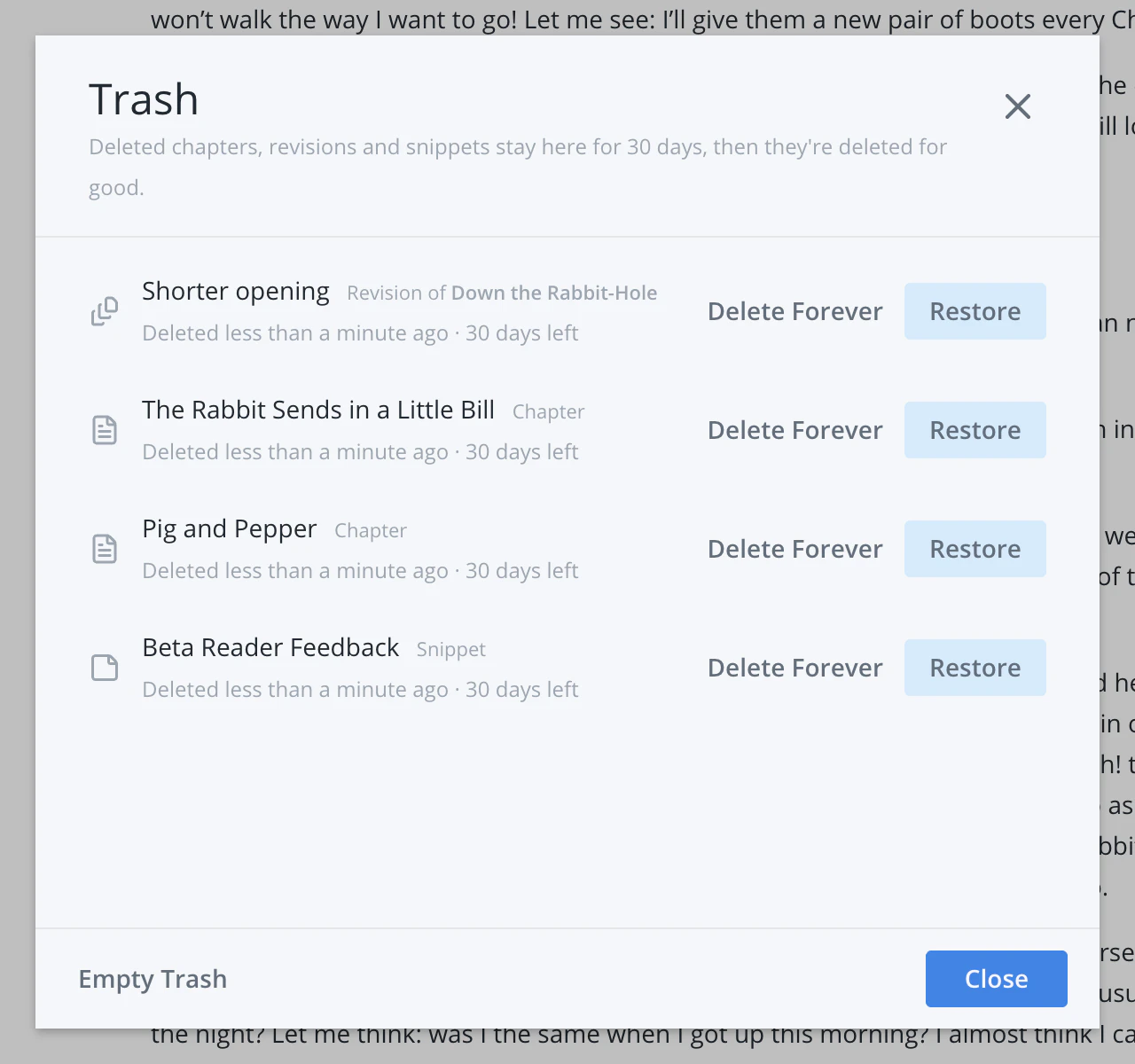
This feature is free for everyone! When you delete a chapter, revision, or snippet, those now go to the Trash. If you change your mind after deleting something, you have 30 days from when you deleted it to be able to restore it to its original location. From inside a project, open the Trash from the app menu View > Trash… or with “Open Trash” in the Command Palette. Hopefully this is helpful if you feel immediate regret after deleting something.
Dark Mode Paper
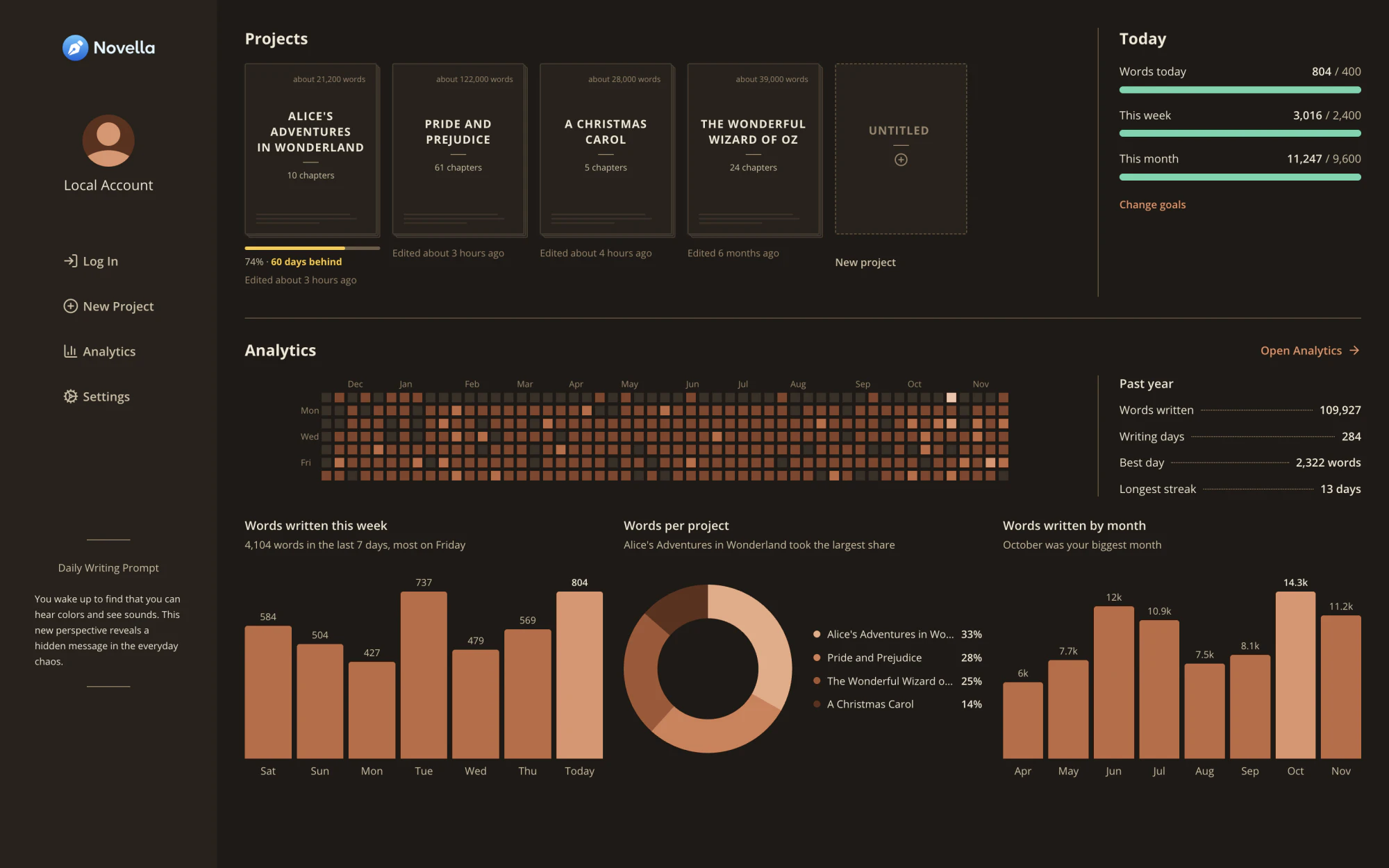
When I implemented the new Paper theme in Novella 1.6, I made it so it was a light-mode-only theme. I decided that didn’t make any sense and so I changed it so your color theme is now available in both light and dark mode! If you haven’t seen the Paper theme yet, check it out! It’s warm and inviting and feels comfortable to write in either light or dark mode!
Improved Home Screen on Larger Displays
Using Novella maximized, especially on a larger display, hasn’t shown the best visual experience on the home screen. It’s been paining me every time I see the weird proportions of everything and it definitely didn’t present Novella’s best face, so I finally revamped it by expanding some of the free analytics and everything looks better now! You can see what it looks like in the Dark Mode Paper screenshot above. I’m always looking to tweak and improve the visual experience so hopefully this is a welcome improvement.