Plot Grid Outlining
Discover the new Plot Grid Outlining feature that helps you visualize your story across timeline and narrative elements.
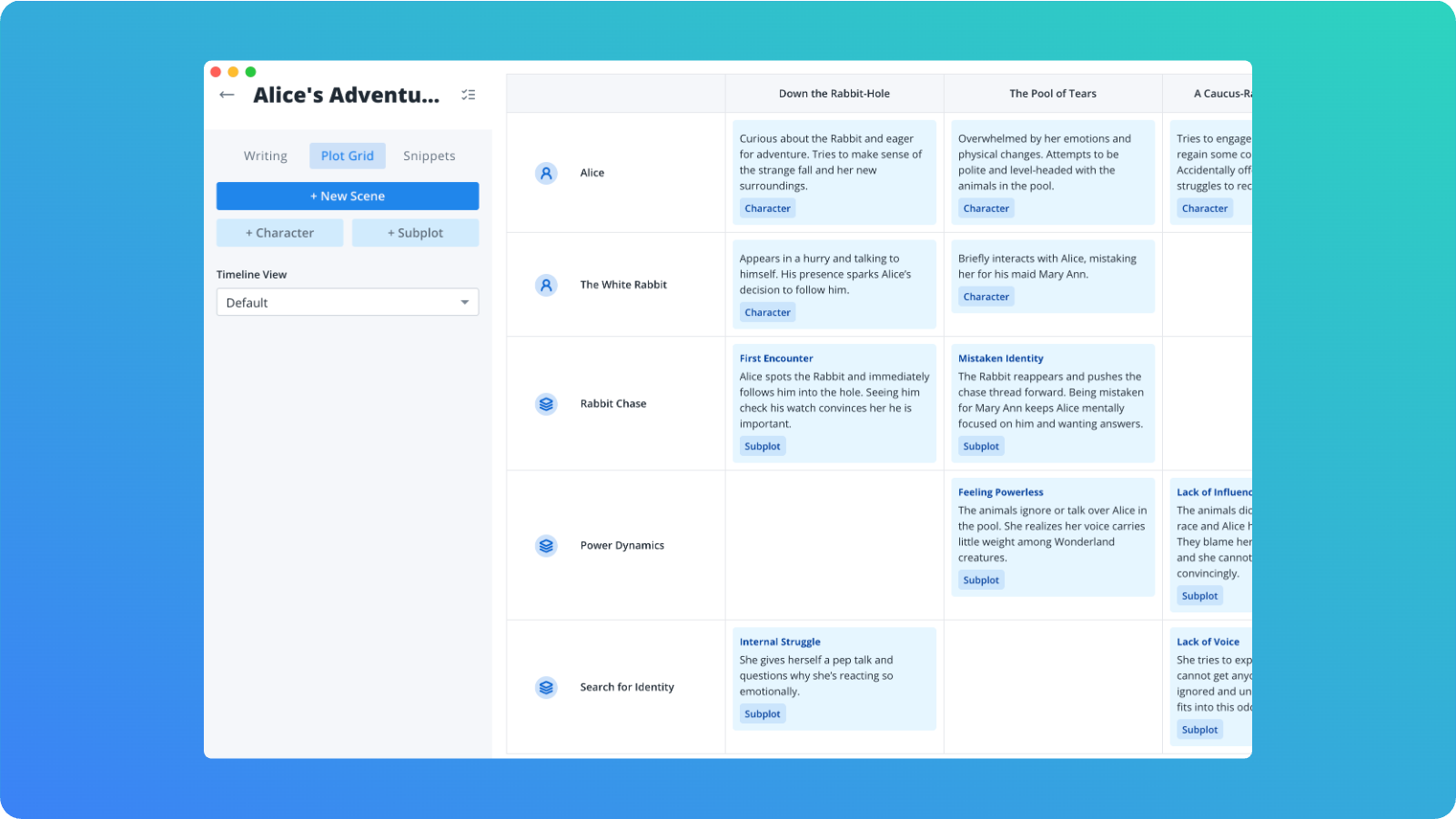
Novella’s 1.2.0 update has dropped, and it brings with it an incredibly useful outlining tool. Say hello to Plot Grid Outlining, a new way to plan and visualize your stories!
A Visual Approach to Story Structure
Plot Grid Outlining gives you a flexible grid where one axis represents your story’s timeline and the other axis represents narrative elements like characters, themes, subplots, or arcs. Each cell in the grid holds a snippet that shows what happens at that intersection. It becomes a living map of your entire story. Instead of juggling dozens of loose snippets or trying to keep everything straight in your head, you can look at the grid and immediately understand how your story threads evolve from scene to scene.
Built for Speed and Flexibility
You can drag and drop rows, columns, and individual snippets to reorganize your outline as your ideas change. Want to reorder scenes? Move the columns around. Want to shift a plot beat to a different moment? Just drag the snippet to a new cell. The whole experience is fast, responsive, and designed to keep you in flow without breaking your creative momentum.
Scales from Simple to Complex
A lot of writing happens at the intersection of structure and creativity. Plot Grid Outlining helps you see the big picture while still giving you room to explore. It works for traditional outlining, complex multi POV novels, character driven stories, and anything with layered narrative elements. This is one of those features that starts simple and becomes more powerful the more you use it.
Give It a Try
Update to the latest version of Novella and open any project to check out the new Plot Grid mode. It is a fresh way to outline, plan, and experiment with your story, and I hope you love it. Happy outlining!